
Monitor Text Messages with ParentShield
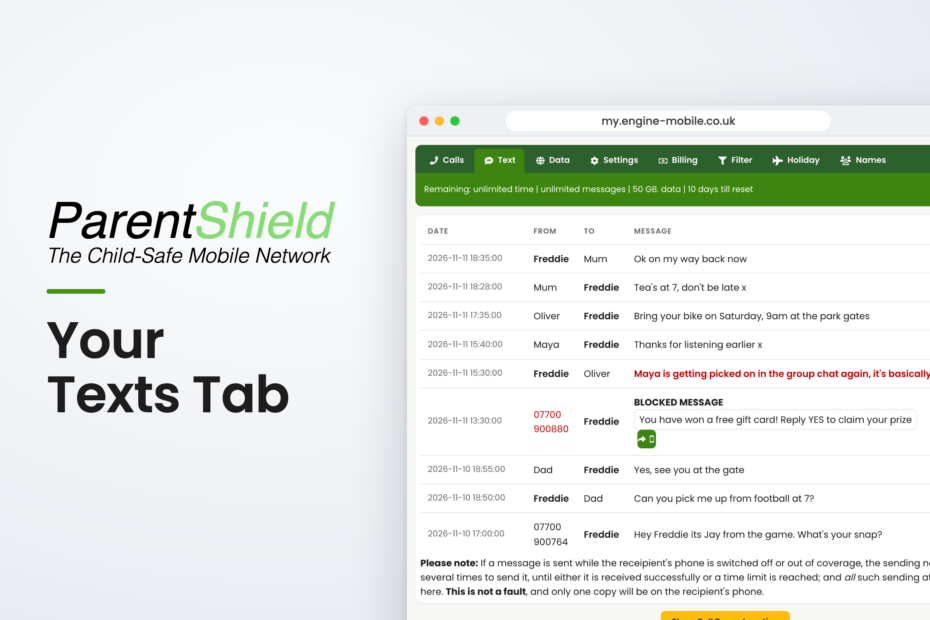
This time, we’re taking a closer look at the Texts tab and how it helps you review your child’s SMS activity.
Get to know your ParentShield Portal, discover what’s available and learn how to make the most of it.
This time, we’re taking a closer look at the Texts tab and how it helps you review your child’s SMS activity.
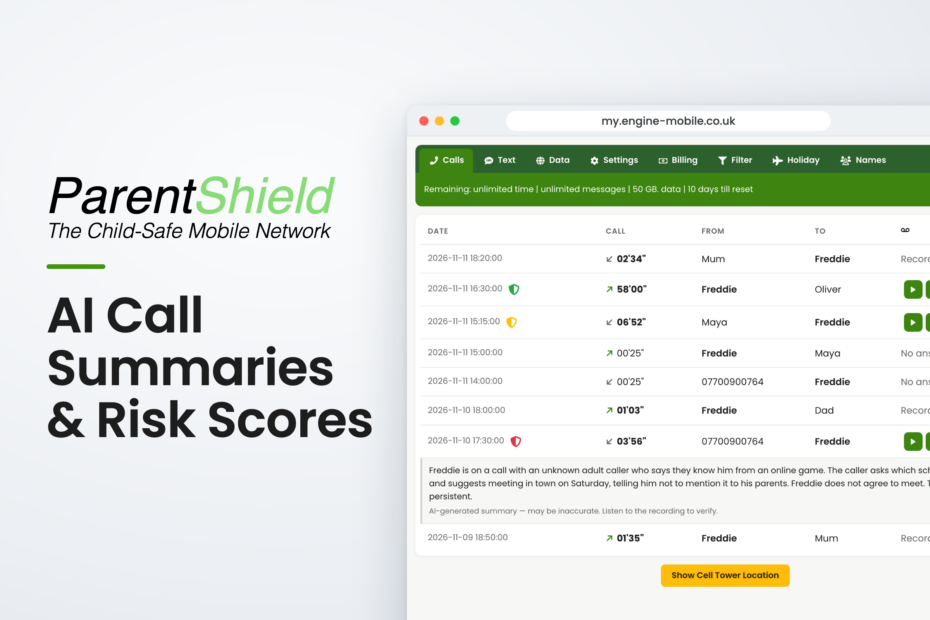
In this instalment, we’re looking at AI call summaries and risk scores, which can help parents review their child’s recorded phone conversations.
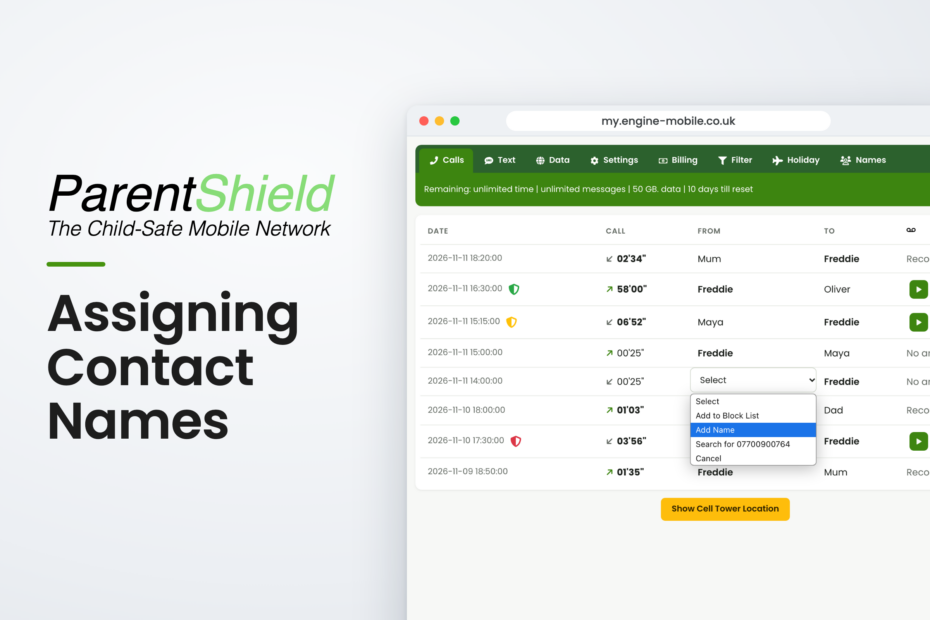
This time, we’re looking at a simple feature that makes your child’s call and text history much easier to understand – adding a name to a phone number.
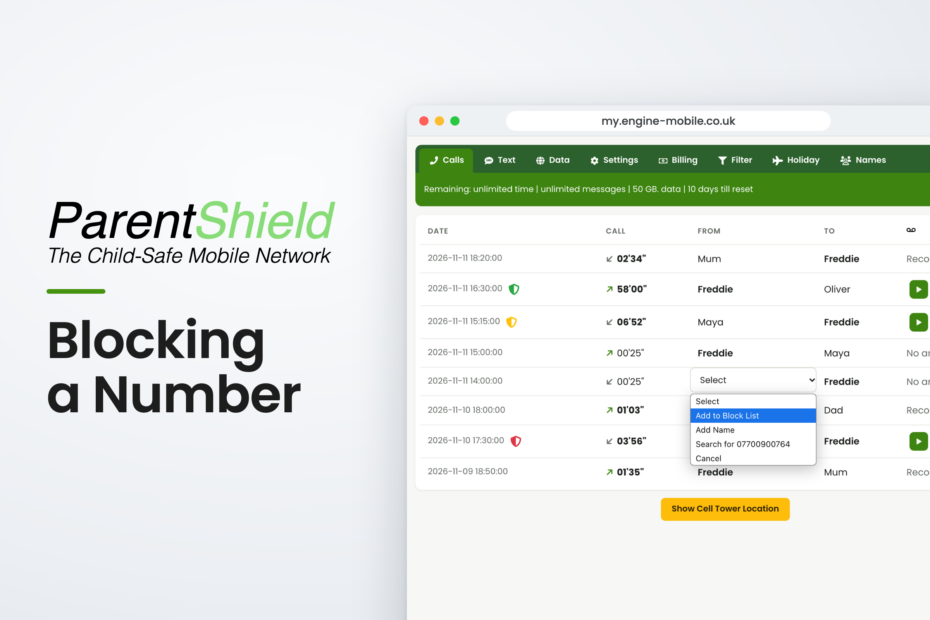
If you notice a number you don’t recognise or want to block, simply click on the number through either recording tab and select ‘Add to Block List’
Yes, it’s that easy!
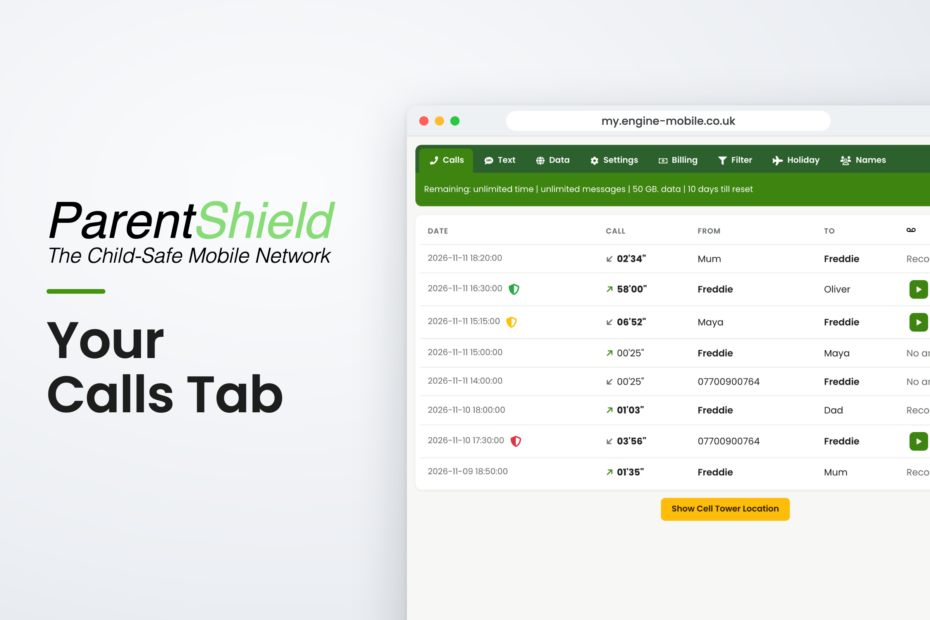
In this section of your ParentShield Portal, you can see the exact date & time of all calls, who the call was made to, or from, a recording of the entire phone call and a AI Summary & Risk Score.