

Welcome to Know Your Portal! Our new series of short, helpful guides designed to show you how to get the most out of your ParentShield SIM. In each instalment, we’ll take a closer look at a specific feature, with a quick video walkthrough to help you understand how everything works.
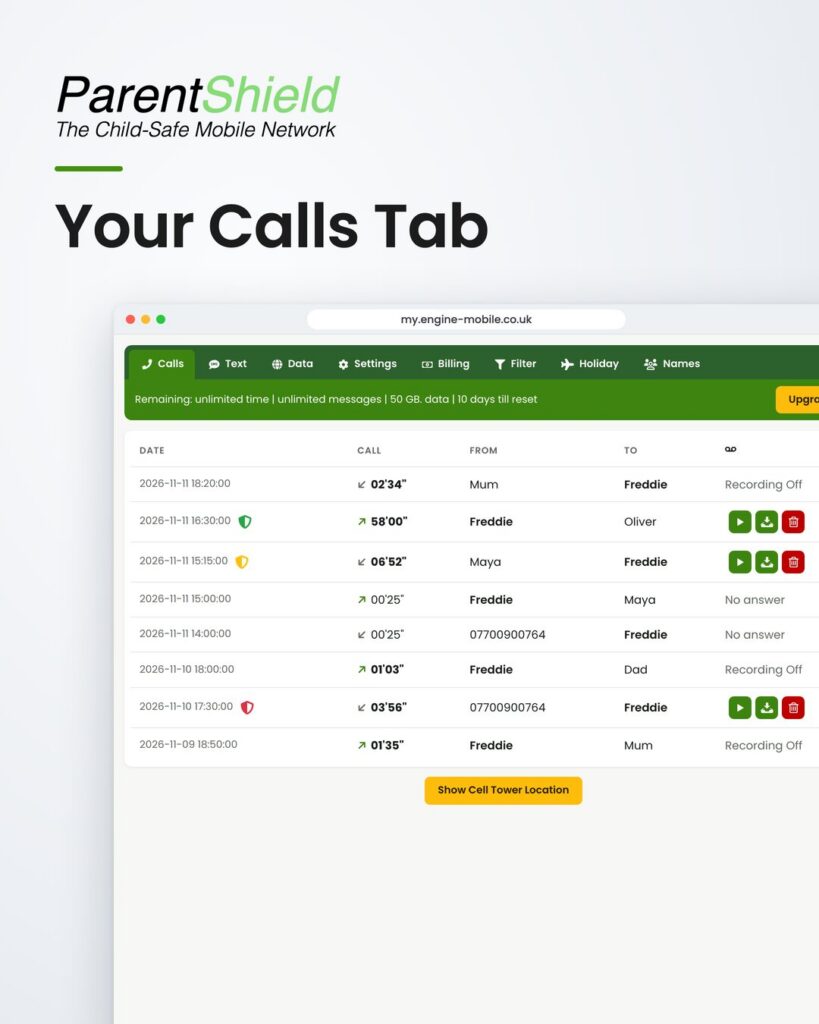
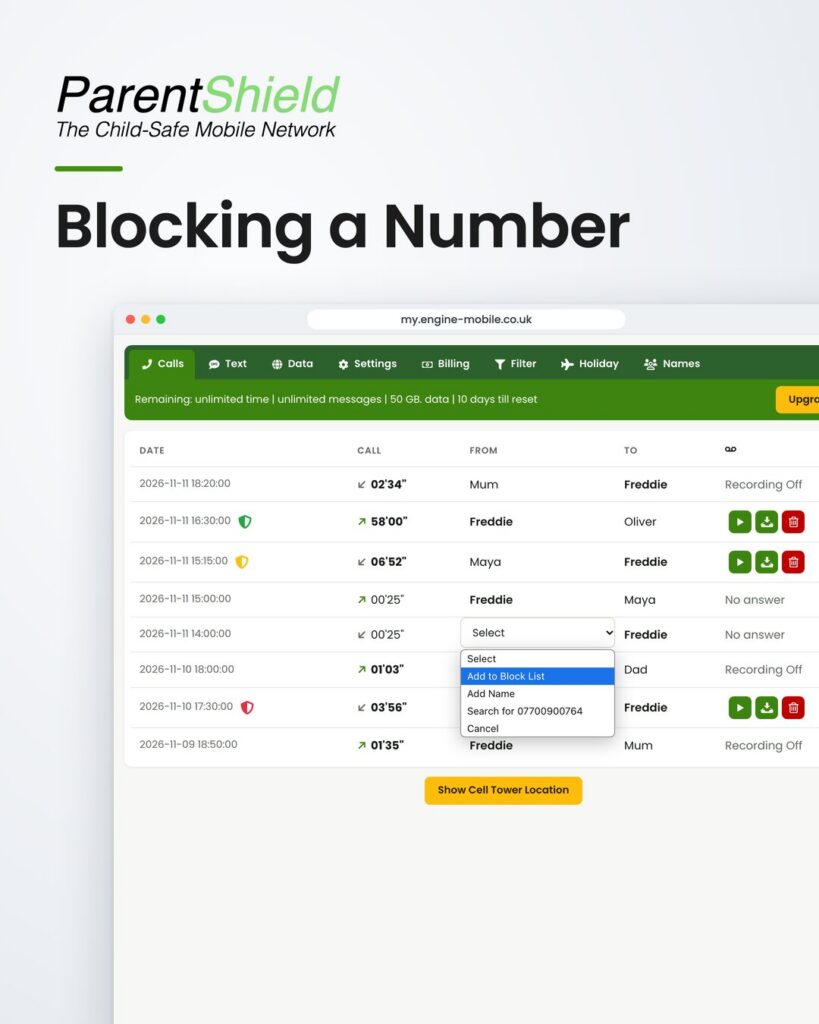
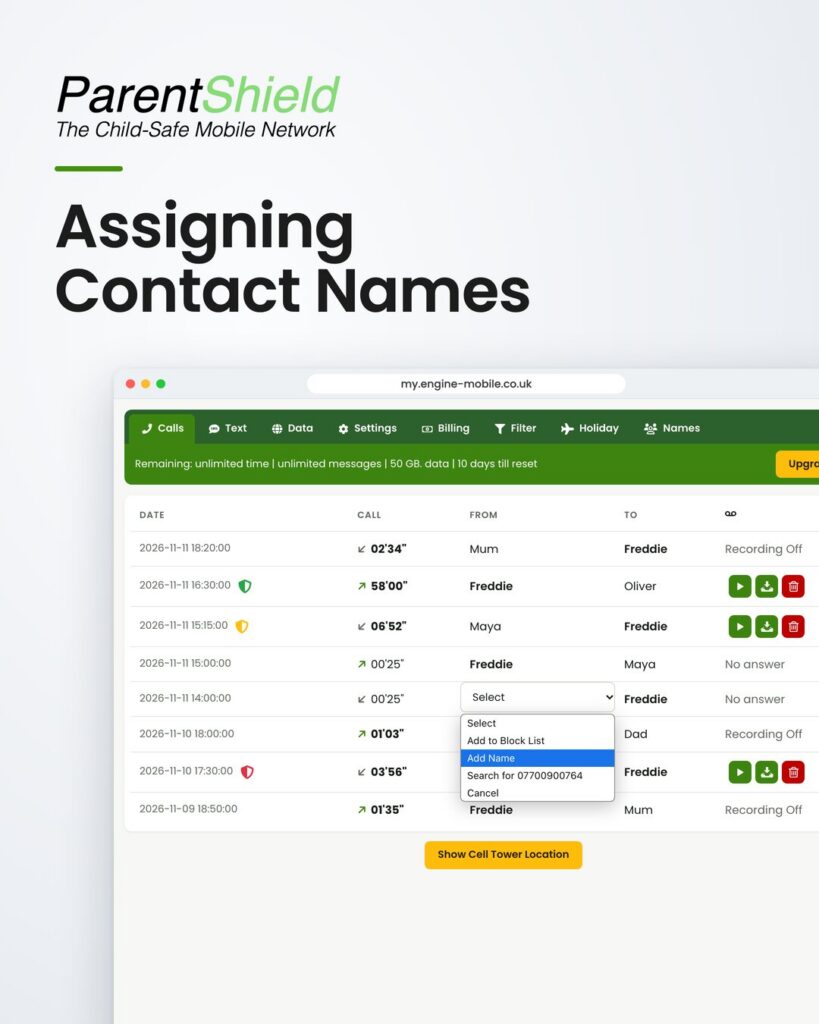
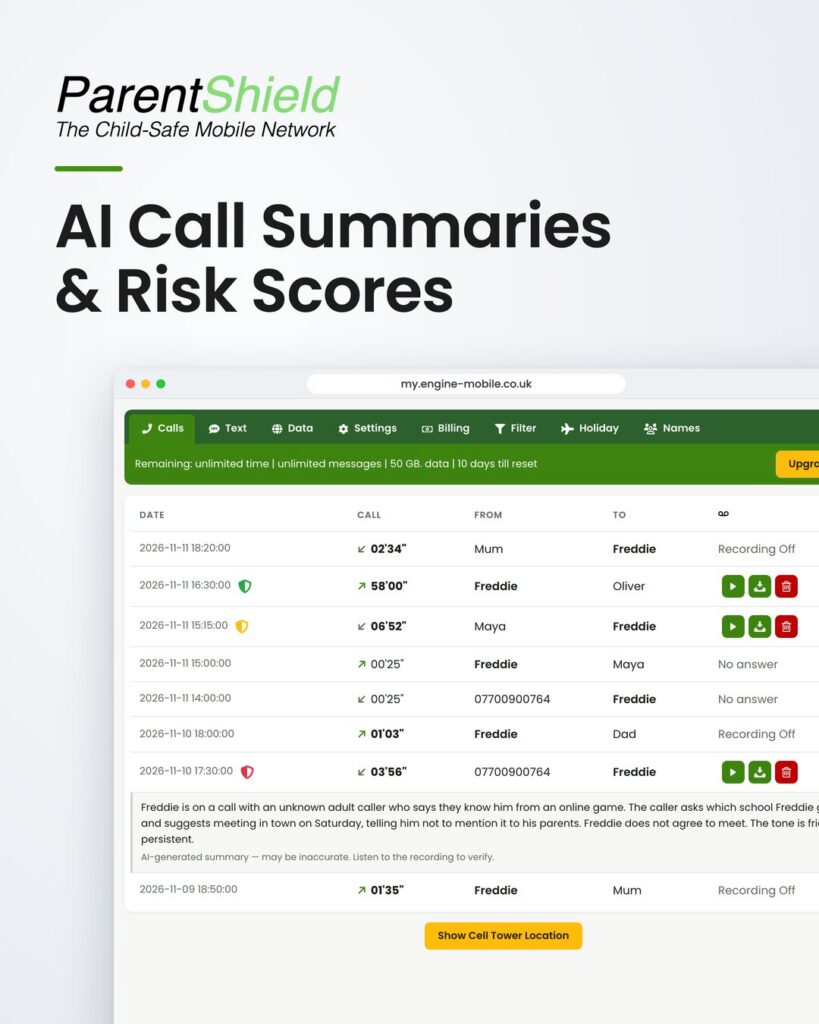
In this section of your ParentShield Portal, you can see the exact date & time of all calls, who the call was made to, or from, a recording of the entire phone call and a AI Summary & Risk Score.
ParentShield Calls Tab Walkthrough
See Who Your Child is Calling and Who’s Calling Them
The call tab gives you a clear overview of your child’s mobile phone calls, helping you stay informed about who they’re communicating with.
Simply log in to your ParentShield Portal and select CALLS from the menu.
You’ll see a list of recent call activity, including:
- Data and time: See exactly when each call took place
- Call direction: Directional arrows help you distinguish between incoming and outgoing calls.
- Call duration: See how long each call lasted
- From and To: Identify who made the call and who received it
- Call recordings: Where recording is enabled, access available recordings directly from the call history.
- Unanswered calls: See when a call wasn’t answered.
It’s all presented in one easy to read table, making it simple to review your child’s calling activity.
Listen to Recorded Calls
Where recording is enabled, you’ll see a set of green buttons alongside recorded calls.
These allow you to play back the recording, download it or delete it.
This gives you an easy way to review recorded conversations when needed, without having to access your child’s phone.
Why is this Useful?
Having all your child’s call activity in one place makes it easier to see who they’re speaking to and when.
It gives you a clearer picture of their phone use without needing to check their handset.
Explore More: Know Your Portal
More Episodes Coming Soon!
We’re releasing a Know Your Portal episode every Monday to Friday until all 14 episodes have been covered.
If you click on an episode and its page isn’t available yet, don’t worry – It simply means that guide hasn’t been published. Keep an eye on our website and check back soon for the next instalment!