
When your child has a mobile phone, you want them to have the freedom and independence that comes with being able to contact friends and family, while still having appropriate safeguards in place. ParentShield provides parents with a range of monitoring and network-level controls to help with this, including call recording where appropriate.
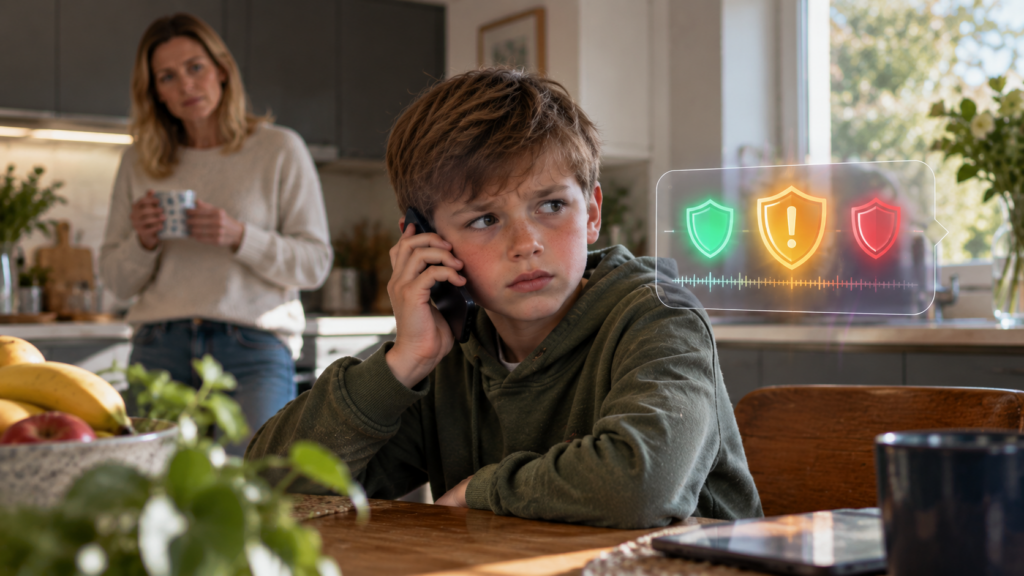
However, having access to call recordings creates another problem: most parents simply don’t have the time, or the desire, to listen to every conversation their child has. Most calls will be completely ordinary conversations with family and friends, so what parents really need is an easier way of identifying the occasional call that might deserve their attention.
That is the idea behind ParentShield’s AI Call Summaries and Risk Scoring. The system can analyse recorded calls, provide a short summary of what was discussed and display a simple green, amber or red shield to indicate whether anything in the conversation may warrant a closer look.
The aim isn’t to have AI make safeguarding decisions for parents. Instead, it helps parents work out where their attention might be needed, while leaving the judgement and any action firmly in their hands.
How does ParentShield AI Call Risk Scoring work?
When AI Call Summaries are enabled, ParentShield’s AI can analyse a recorded call and provide a concise description of what appears to have been discussed. Alongside that summary, the call is given a green, amber or red shield based on the AI’s analysis of the conversation.
This means a parent can look through their child’s recent calls and quickly identify those that may be worth reviewing, rather than listening through every recording individually. Clicking on the shield reveals the AI-generated summary, and the original recording remains available if the parent wants to listen to the conversation and understand exactly what was said.
AI isn’t infallible, of course, which is why the ParentShield Portal clearly states that an AI-generated summary may be inaccurate and that the recording should be listened to for verification. The summary and shield are there to assist parents, rather than provide a definitive judgement about a conversation.
🟢 What does a Green shield mean?
A green shield indicates that the AI hasn’t identified an obvious concern within the conversation. This might be an everyday call with a parent, grandparent, family member or friend where nothing has been detected that appears to require additional attention.
For parents, this can provide useful reassurance without requiring them to listen to an otherwise completely ordinary conversation. However, green shouldn’t be interpreted as a guarantee that everything within a call is safe or appropriate, because AI can misunderstand context, slang, jokes or other aspects of natural conversation.
The purpose of the green shield is simply to help parents distinguish apparently routine calls from those where the AI has identified something that might be worth checking.
🟠 What does an Amber shield mean?
An amber shield means that ParentShield AI has identified something within the conversation that may be worth a parent’s attention. It doesn’t automatically mean that something harmful has happened, but it gives the parent a reason to look more closely at that particular call.
A good example is a real call received by one of our test numbers, shown below. When answered, an automated recorded message played, claiming to be from Indeed Human Resources and asking the recipient to add the caller’s number on WhatsApp.
ParentShield’s AI summarised the conversation as:
“Paul is on a call with an unknown caller who claims to be from Indeed Human Resources and asks him to add their number on WhatsApp.”
If this was a child’s number, rather than requiring the parent to discover this by listening through the recording, the amber shield draws their attention to the call and clicking on it immediately displays the summary. The parent can then listen to the original recording if they want to verify exactly what happened and understand the conversation in context.
In this particular example, the parent almost certainly wouldn’t want them contacting their child again. By clicking on the telephone number within the ParentShield portal and selecting Add to Block List, the caller can be permanently blocked at the network level.
Importantly, the protection isn’t limited to blocking the number as it appears on the child’s handset. Once the caller has been added to the ParentShield Block List, they cannot simply withhold their Caller ID on a subsequent call to bypass the restriction.
This is a good example of how the different ParentShield features work together. AI can bring an unusual call to the parent’s attention, the summary helps them understand why it has been highlighted, the recording allows them to verify what was actually said, and the network controls allow them to take action if necessary.
🔴 What does a Red shield mean?
A red shield indicates that the AI has identified content that it considers potentially higher risk and therefore worthy of closer attention. As with an amber result, it doesn’t establish that somebody has done something wrong, nor should it be treated as an automated safeguarding decision.
Instead, a red result tells the parent that this is a conversation they should consider reviewing more closely. They can read the AI-generated summary and, where appropriate, listen to the original recording so that they can make their own judgement based on the full context of the conversation.
What happens next will depend entirely on the circumstances. In some cases, it may simply lead to a conversation between parent and child or a decision to block a particular caller. If a parent believes that a child or another person is in immediate danger, they should contact the appropriate emergency services.
Preventing unknown callers with Ultra Secure Mode
Some parents may prefer to prevent unknown callers from reaching their child’s phone altogether, particularly when the phone belongs to a younger child or a vulnerable user. ParentShield’s Ultra Secure Mode provides an additional level of protection for exactly this type of situation.
Rather than allowing incoming calls and then deciding which numbers need to be blocked, Ultra Secure Mode reverses the process so that only numbers specifically added to the child’s Safe List are permitted to call. An unsolicited caller such as the one in the amber example would therefore never reach the child’s phone in the first place unless their number had previously been approved.
This gives families a choice over the level of protection that is appropriate for their child. Parents can allow normal incoming calls while using AI Risk Scoring, recordings and the Block List for additional oversight, or they can use Ultra Secure Mode when they want incoming calls restricted entirely to known and approved correspondents.
Why network-level controls make a difference
One of the important differences between ParentShield and a conventional parental-control app is that many ParentShield controls operate within the mobile network itself. They aren’t dependent on a particular smartphone, operating system or application continuing to run correctly on the child’s handset.
This is particularly useful when it comes to calling because the protection remains associated with the ParentShield mobile service. It also means that many ParentShield safeguarding features can be used with simple feature phones as well as smartphones, giving parents more flexibility over the type of device they give their child.
AI is there to assist parents, not replace them
Artificial intelligence can be extremely useful for analysing information quickly, but it cannot understand every conversation in the same way as a parent who knows their child and understands the wider circumstances.
For that reason, ParentShield doesn’t present AI Risk Scoring as a definitive assessment of whether a conversation is safe or unsafe. A green shield doesn’t mean “guaranteed safe”, an amber shield doesn’t mean that something bad has happened, and a red shield doesn’t mean that somebody is guilty of wrongdoing. They are simply indicators designed to help parents decide which conversations may deserve more of their attention.
This is also why the original recording remains important. If an AI summary raises a concern, parents can listen to the actual conversation rather than making a decision based solely on an automated interpretation.
What about a child’s privacy?
Safeguarding and privacy need to be balanced appropriately as children grow, and the level of oversight suitable for a young child’s first phone won’t necessarily be appropriate for an older teenager. ParentShield isn’t designed around the idea that parents should listen to every conversation simply because the technology makes it possible.
In fact, AI summaries can help reduce the need to do so. If the majority of calls appear routine, parents can concentrate their attention on the relatively small number of conversations that may warrant further review rather than routinely listening through everything.
ParentShield call recording is also disabled by default from age 16. Where continued recording is genuinely required because of particular safeguarding or additional needs, a Special Requirements application is required.
Can AI Call Summaries be turned off?
Yes. Parents who don’t want to use AI Call Summaries and Risk Scoring can switch the functionality off using the global control within ParentShield. This allows families to decide whether AI analysis is appropriate for their circumstances rather than making it a compulsory part of the service.
Different children require different levels of protection, which is why ParentShield provides parents with a range of controls that can be adjusted as their child becomes older and more independent.
Helping parents find the calls that matter
Most of the calls a child makes or receives will hopefully be completely ordinary, and parents shouldn’t have to spend their time listening through all of them just in case one conversation deserves attention.
ParentShield’s AI Call Summaries and Risk Scoring are designed to make that process much easier. A green shield indicates that no obvious concern has been identified, an amber shield suggests that something may be worth the parent’s attention, while a red shield indicates that the conversation may warrant a closer look.
If something does stand out, the parent remains in control of what happens next. They can read the summary, listen to the original recording, talk to their child, block the caller or, if they want much tighter incoming-call protection, enable Ultra Secure Mode so that only approved Safe List numbers can get through.