

Looking for the Best SIM Card for a Nokia Phone?
Whether you’re buying a Nokia 105 for a Year 6 child, a Nokia 2660 Flip for a child starting secondary school, or a Nokia 3210 as a first phone for a teenager, choosing the right SIM card for a child is just as important as choosing the phone itself.
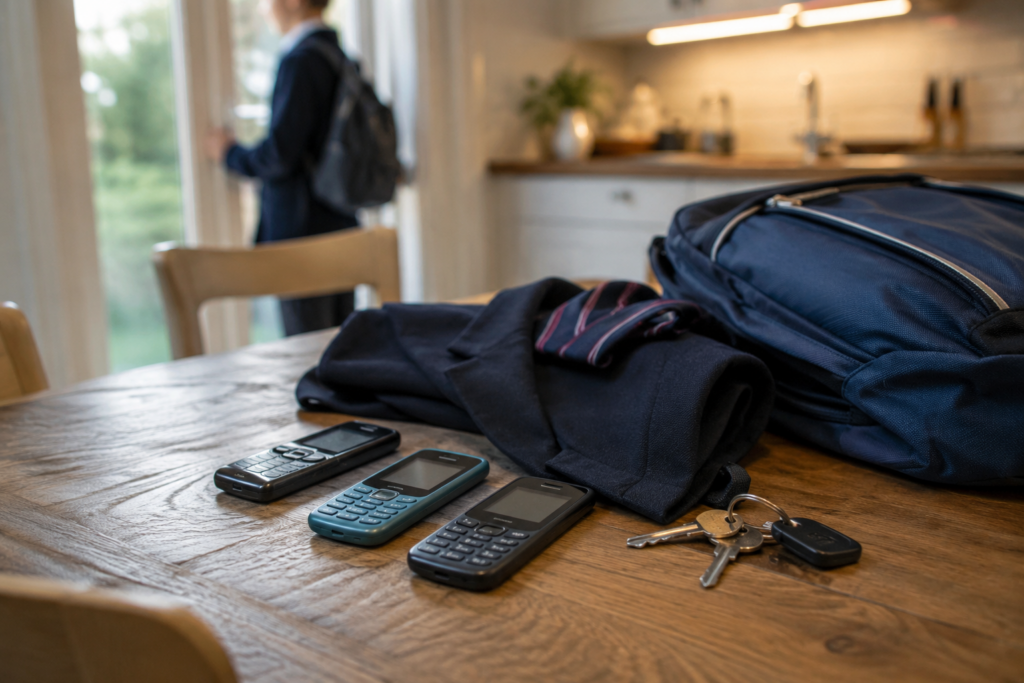
Across the UK, more parents are embracing the Smartphone Free Childhood movement and delaying smartphones for as long as possible. At the same time, schools have introduced stricter smartphone policies or outright smartphone bans, encouraging families to consider simpler alternatives.
As a result, Nokia feature phones have become some of the most popular first phones for children.
Models such as the Nokia 105, Nokia 110, Nokia 2660 Flip, Nokia 3210, Nokia 225 4G and Nokia 235 4G offer exactly what many parents are looking for: a simple way for children to stay in touch.
Nokia feature phones provide:
- Calling and texting
- Long battery life
- Durable construction
- Simple operation
- No social media apps
- No app-store dependency
- Fewer distractions
- Affordable pricing
For many children, that’s all they need.
However, while a Nokia phone removes many of the risks associated with smartphones, it doesn’t automatically give parents visibility over how the phone is being used.
That’s where ParentShield comes in.
A ParentShield SIM transforms a Nokia feature phone into a smart safeguarding device, providing powerful parental controls and safety features through the mobile network itself.
Unlike app-based parental controls, there is nothing to install on the phone. Simply insert the SIM card and log into the ParentShield Portal App.
Whether you’re using a Nokia 105, Nokia 110, Nokia 2660 Flip, Nokia 3210, Nokia 225 4G or Nokia 235 4G, the same advanced safeguarding features become available immediately.
Parents love the Nokia 105 because it provides communication without distractions.
When combined with ParentShield, parents gain visibility over calls and texts, can receive alerts about new contacts, activate Ultra-Secure Mode and use SchoolBlock to support school phone policies.
Why Parents Are Choosing Nokia Feature Phones
Not long ago, most children received a smartphone as their first mobile phone.
Today, that trend is beginning to reverse.
The Nokia 105 remains one of the UK’s most popular first phones for children, while the Nokia 110, Nokia 2660 Flip and Nokia 3210 have all become increasingly popular choices for parents seeking a more balanced approach to technology.
These phones allow children to communicate with parents, grandparents and trusted adults without carrying a pocket-sized entertainment device everywhere they go.
Why Nokia Phones Are Ideal for School Smartphone Bans
Schools across the UK are increasingly introducing smartphone restrictions and smartphone bans.
Teachers and school leaders frequently cite concerns around:
- Classroom distractions
- Social media disputes
- Cyberbullying
- Reduced concentration
- Online arguments continuing into school
- Safeguarding concerns
For many families, Nokia feature phones provide the perfect compromise.
Children can still:
- Contact parents before and after school
- Arrange lifts home
- Call in an emergency
- Stay connected with trusted family members
This is one reason why phones such as the Nokia 105, Nokia 110 and Nokia 2660 Flip have become so popular with parents of primary and secondary school children.
When combined with a ParentShield SIM, these simple phones become even more suitable for school use thanks to features such as SchoolBlock, Time Controls and Ultra-Secure Mode.
ParentShield Works With All Nokia Phones
ParentShield is compatible with all Nokia feature phones, including:
- Nokia 105
- Nokia 110
- Nokia 2660 Flip
- Nokia 3210
- Nokia 225 4G
- Nokia 235 4G
Because ParentShield’s controls operate through the mobile network, the safeguarding features work regardless of which Nokia model you choose.
This means parents can enjoy the simplicity of a Nokia phone while still benefiting from sophisticated parental controls and safeguarding technology.
What Features Does ParentShield Add to Nokia Phones?
SMS Monitoring
Parents can monitor text message activity remotely.
This includes:
- Incoming texts
- Outgoing texts
- Contact details
- Message content
Many parents consider this one of ParentShield’s most valuable safeguarding features.
Call Monitoring
Parents can view a complete record of incoming, outgoing and missed calls through the ParentShield portal.
This includes:
- Call dates and times
- Call duration
- Contact numbers
- Missed call activity
This gives parents valuable visibility without needing access to the handset itself.
Call Recording
ParentShield can securely record calls for safeguarding purposes.
This can be particularly useful for:
- Younger children
- Children travelling independently
- Vulnerable users
- Investigating bullying concerns
- Safeguarding incidents
Recordings can be reviewed through the ParentShield portal whenever required.
AI Call Summaries
Listening to every recorded conversation would be impractical.
ParentShield’s AI Call Summaries automatically generate concise summaries of conversations, allowing parents to quickly understand what was discussed without listening to lengthy recordings.
AI Risk Scores
ParentShield’s AI can analyse recorded calls and assign safeguarding risk scores.
The system can identify indicators associated with:
- Bullying
- Threats
- Manipulation
- Grooming-style behaviour
- Personal safety concerns
- Emotional distress
Calls with elevated risk scores are highlighted, helping parents identify conversations that may require attention.
Word Alerts
Parents can create custom word alerts based on words and phrases important to their family.
Examples include:
- Bullying terms
- Swear words
- School-related concerns
- Personal safety concerns
If those words appear in monitored communications, parents can receive an alert.
New Correspondent Alerts
Whenever a new number contacts the phone for the first time, ParentShield can notify parents automatically.
This helps families stay aware of new contacts entering their child’s communication circle.
Number Blocking
Parents can block unwanted callers and texters directly through the ParentShield portal.
This is useful for:
- Spam callers
- Nuisance contacts
- Bullying situations
- Unwanted communication
Blocked numbers can no longer call or text the phone, or be called or texted by it.
Safe Lists
Parents can maintain approved contact lists and manage trusted contacts remotely through the ParentShield portal.
Ultra-Secure Mode for Younger Children
Ultra-Secure Mode is one of ParentShield’s most unique features.
When activated:
- Only approved contacts can call the phone
- Only approved contacts can text the phone
- The phone can only call approved contacts
- The phone can only text approved contacts
All other communication is automatically blocked.
Many parents of primary school children use Ultra-Secure Mode when introducing a first phone because it creates a completely controlled communication environment.
SchoolBlock Supports School Phone Policies
Many parents purchase Nokia phones specifically because their child’s school discourages or bans smartphones.
SchoolBlock can automatically disable:
- Calls
- Text messages
- Mobile data (where applicable)
during school hours.
Home Numbers and emergency services can remain available.
This helps children comply with school rules while still carrying a phone for safety before and after school.
Time Controls
Parents can choose exactly when the phone can be used.
Examples include:
- No phone use after bedtime
- School-time restrictions
Everything can be managed remotely through the portal.
Home Numbers
Parents can nominate trusted Home Numbers.
These numbers:
- Always work
- Can always contact the child
- Continue working even if allowances are exhausted
This ensures trusted family members remain reachable at all times.
No Bill Shock
ParentShield eliminates many common causes of unexpected charges.
There are:
- No premium-rate services
- No expensive short-code charges
- No surprise add-ons
- No hidden overspending
Parents always know exactly what they are paying each month.
ParentShield Portal App
All controls are managed through the ParentShield Portal App.
Parents can:
- View calls
- View texts
- Review recordings
- Read AI summaries
- Review risk scores
- Manage contacts
- Configure alerts
- Enable SchoolBlock
- Activate Ultra-Secure Mode
- Change settings remotely
No access to the phone is required.
No Technical Setup Required
Unlike many parental control solutions, ParentShield requires no special configuration.
There is:
- No app installation on the Nokia handset
- No software updates
- No device management tools
- No technical expertise required
Simply:
- Insert the ParentShield SIM card.
- Turn on the Nokia phone.
- Log into the ParentShield Portal App.
The network-based safeguarding features do the rest.
Why ParentShield and Nokia Phones Are the Perfect Combination
Whether you’re buying a Nokia 105 for a child walking to school independently, a Nokia 110 for a Year 7 starter, a Nokia 2660 Flip for a younger child, or a Nokia 3210 for a teenager whose school has introduced a smartphone ban, the SIM card you choose can dramatically affect how safe that phone is.
A Nokia feature phone already removes many of the distractions and risks associated with smartphones.
Together, they create a phone solution that supports the goals of the Smartphone Free Childhood movement while still giving children the freedom, independence and safety that parents value.
Frequently Asked Questions
Which Nokia phones work with ParentShield?
ParentShield works with many Nokia feature phones including the Nokia 105, Nokia 110, Nokia 2660 Flip, Nokia 3210, Nokia 225 4G and Nokia 235 4G.
What is the best SIM card for a Nokia 105?
Many parents choose ParentShield because it adds parental controls, communication monitoring, SchoolBlock, Ultra-Secure Mode and safeguarding features that ordinary SIM cards do not provide.
What is the best SIM card for a Nokia 2660 Flip?
ParentShield works perfectly with the Nokia 2660 Flip and adds network-level parental controls and visibility without requiring any apps to be installed.
Does ParentShield work with the Nokia 3210?
Yes. ParentShield works with the Nokia 3210 and provides the same safeguarding features available on other compatible Nokia feature phones.
Can I use ParentShield on a Nokia 110?
Yes. ParentShield works with the Nokia 110 and requires no special setup beyond inserting the SIM card.
What is the best SIM card for a child’s Nokia phone?
If you’re looking for parental controls, safeguarding tools, communication monitoring and greater visibility, ParentShield provides features that ordinary SIM cards simply cannot match.
The Best SIM Card for Nokia Phones Used by Children
Whether you’re buying a Nokia 105 for a child walking to school independently, a Nokia 110 for a Year 7 starter, a Nokia 2660 Flip for a younger child, or a Nokia 3210 for a teenager whose school has introduced a smartphone ban, the SIM card you choose can dramatically affect how safe that phone is.
A Nokia feature phone already removes many of the distractions and risks associated with smartphones.
A ParentShield SIM adds the safeguarding features parents want, including communication monitoring, AI-powered risk detection, SchoolBlock, Ultra-Secure Mode, Time Controls and parental alerts.
Together, they create a phone solution that supports the goals of the Smartphone Free Childhood movement while still giving children the freedom, independence and safety that parents value.
Simply insert the SIM card, log into the ParentShield Portal App, and enjoy the peace of mind that comes from knowing your child can stay connected safely.