Skip to content

ParentShield Blog

Assigning Contact Names

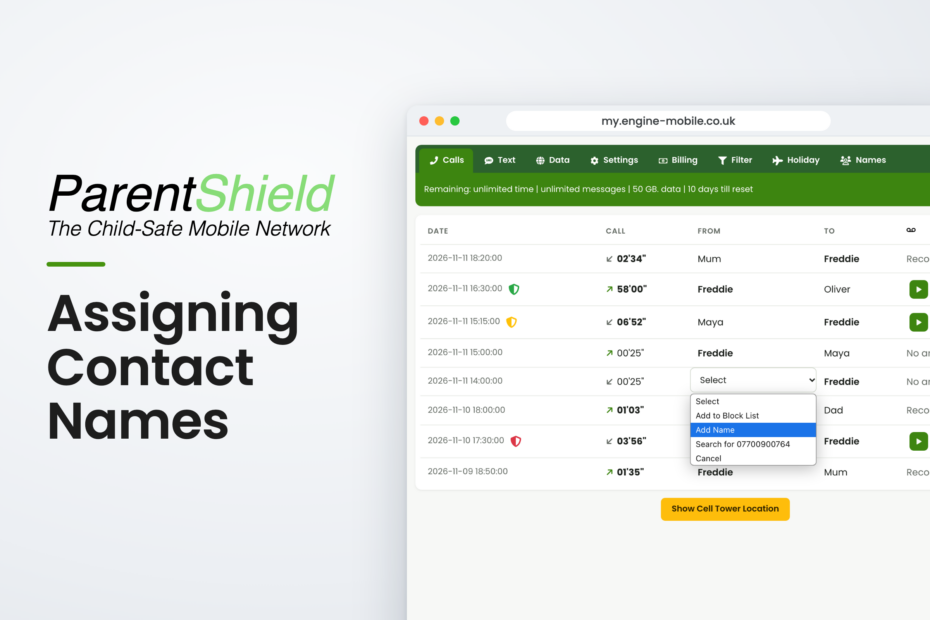
Assign Contact Names

This time, we’re looking at a simple feature that makes your child’s call and text history much easier to understand – adding a name to a phone number.

Block Unwanted Numbers

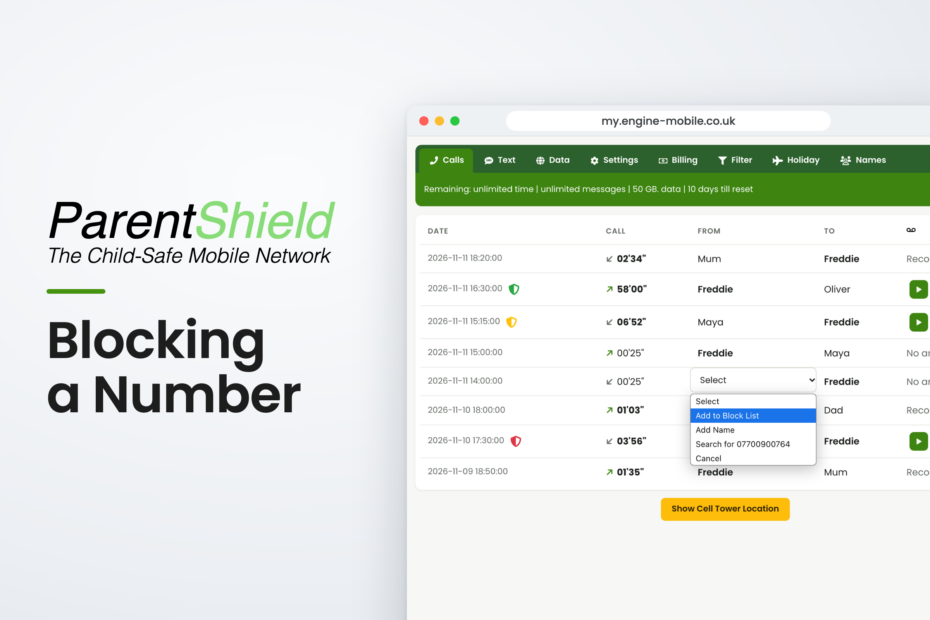
Blocking a Number

If you notice a number you don’t recognise or want to block, simply click on the number through either recording tab and select ‘Add to Block List’
Yes, it’s that easy!

Understanding The Calls Tab in ParentShield

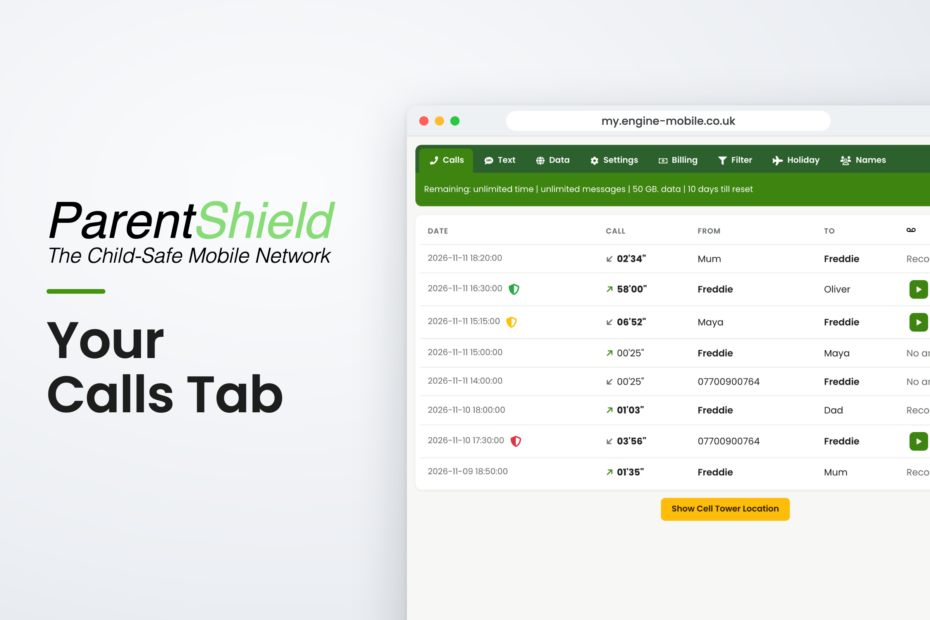
Your Calls Tab

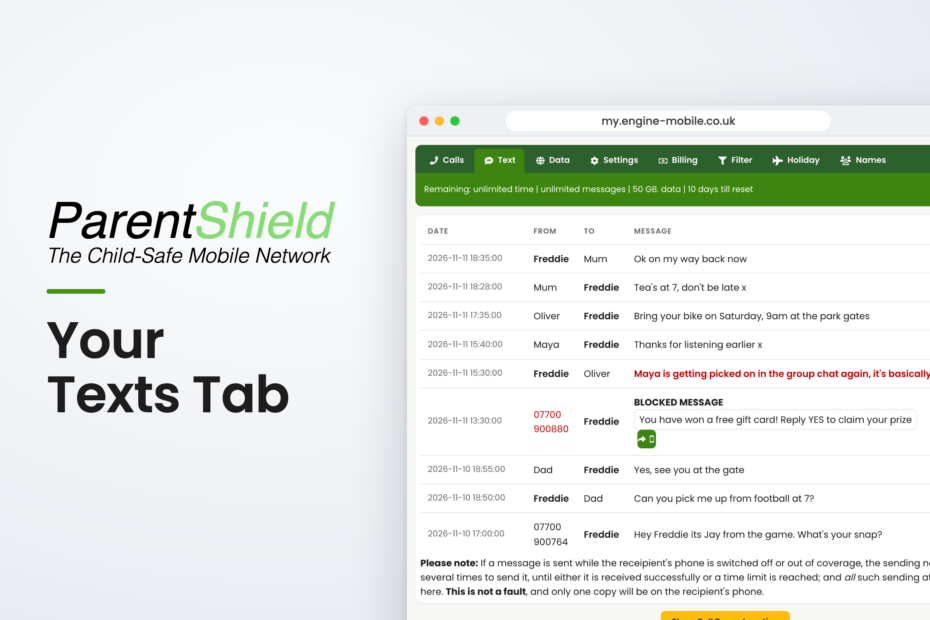
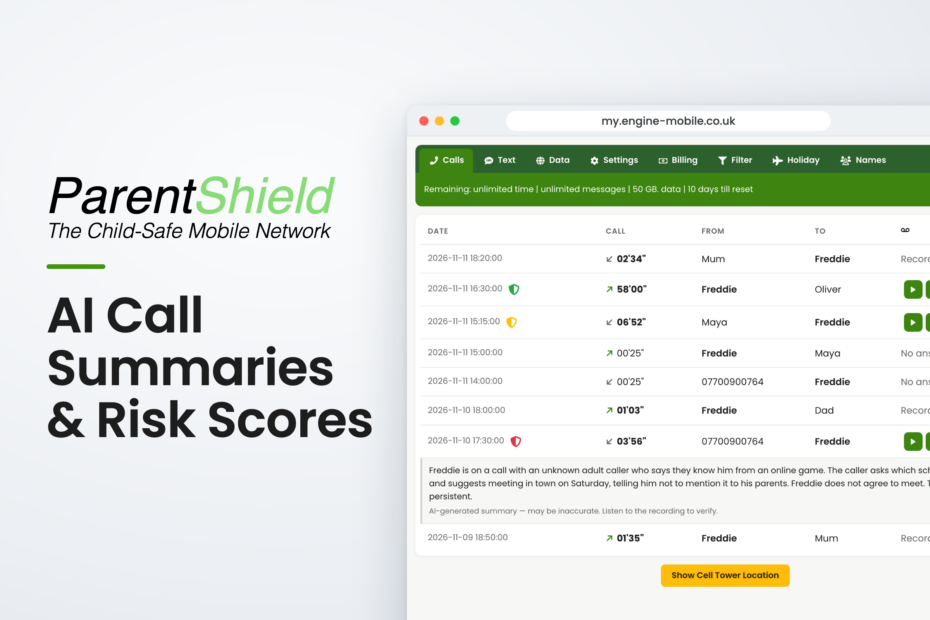
In this section of your ParentShield Portal, you can see the exact date & time of all calls, who the call was made to, or from, a recording of the entire phone call and a AI Summary & Risk Score.

How ParentShield’s AI Call Risk Scoring Works – and What Green, Amber and Red Mean

When your child has a mobile phone, you want them to have the freedom and independence that comes with being able to contact friends and family, while still having appropriate safeguards in place. ParentShield provides parents with a range of monitoring and network-level controls to… Read More »How ParentShield’s AI Call Risk Scoring Works – and What Green, Amber and Red Mean

   Copyright Engine Mobile Ltd. Pioneer House, Derby, DE73 7HL.  Co. Reg. 10697643    VAT: GB297931349  ParentShield™ and all content in this website belongs to the publisher and may not be reproduced without permission. Prices include VAT unless stated otherwise.